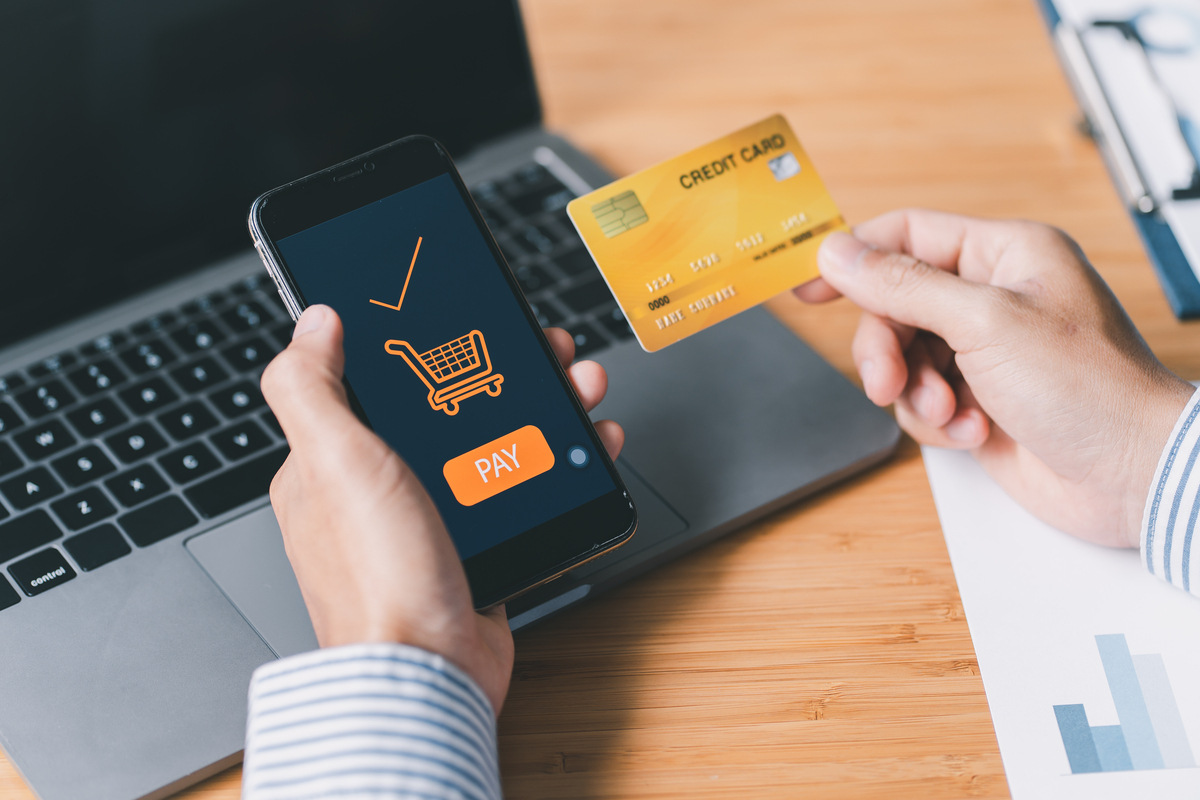


The average smartphone user abandons a mobile checkout because the forms were too hard to fill out on a tiny screen. Another leaves because the buttons were too small to tap accurately. A third gives up entirely after waiting for a page that takes six seconds to load. None of them will ever complete that purchase, and most will never return.
Consider this: nearly three-quarters of online purchases made during Black Week 2025 occurred on mobile devices . The shift to mobile is not coming. It is here. Yet checkout experiences designed decades ago for desktop browsers continue to frustrate customers who now do most of their shopping on phones. The result is billions in abandoned cart revenue that could be captured with better mobile optimization.
For merchants, the opportunity is enormous. Optimizing mobile checkout flows can increase conversion rates by more than a third. In an era where every percentage point of improvement translates directly to revenue, mobile optimization is no longer optional. It is essential.
This guide provides actionable best practices for optimizing payment flows specifically for smartphone users. From form design to authentication, from loading speed to payment method selection, these strategies will help you capture more mobile revenue and deliver experiences that keep customers coming back.
Why mobile checkout matters more than ever in 2026
Mobile commerce has reached a tipping point. In many markets, smartphones are no longer just one channel among many. They are the primary way people shop online.
During the 2025 holiday season, mobile accounted for 54 percent of online sales on Thanksgiving Day and 57 percent of sales on Black Friday. Cyber Monday saw mobile capture 61 percent of sales, with customers spending over four billion dollars through their phones.
This trend extends beyond the United States. In markets like Brazil, where mobile-first banking apps like Pix have achieved near-universal adoption, consumers expect seamless mobile payment experiences as a baseline. In India, UPI transactions on mobile devices have become the default way to pay for everything from street food to ecommerce.
Yet despite this shift, many businesses still treat mobile checkout as an afterthought. They shrink their desktop checkout to fit a smaller screen and call it mobile optimization. This approach fails because mobile users face fundamentally different constraints: smaller screens, less precise input methods, variable network conditions, and different security expectations.
The businesses that succeed in 2026 will be those that design for mobile first, then adapt to larger screens, not the other way around.
Design for thumbs, not cursors
Mobile users interact with their devices using thumbs, not mouse cursors. This seemingly simple difference has profound implications for checkout design.
The most comfortable area for thumb interaction is the center of the screen. Reach zones at the very top or bottom require stretching or readjusting grip, increasing the chance of mis-taps or user frustration. Critical checkout elements like the place order button, payment method selection, and form fields should live in the thumb’s natural strike zone.
Button size matters enormously. A button that is easy to click with a mouse may be impossible to tap accurately with a thumb. Industry research suggests that touch targets should be at least 44 by 44 pixels, with 48 by 48 pixels providing even better usability. Buttons smaller than this invite errors and frustration.
Spacing between interactive elements is equally important. When buttons or links are too close together, users accidentally tap the wrong one, leading to errors and often abandonment. Adequate spacing prevents these mistakes and builds confidence.
Fitts’s Law, a principle of human-computer interaction, states that the time required to move to a target depends on its size and distance. For mobile checkout, this means making important targets larger and placing them where thumbs already are.
Simplify forms ruthlessly
Forms are the enemy of mobile conversion. Each additional field increases cognitive load, typing effort, and the chance of abandonment. The solution is not just reducing fields but rethinking what information you actually need.
Request only essential information. If you do not absolutely need a field at checkout, remove it. Billing address can often be inferred from shipping address. Phone numbers may be unnecessary for digital goods. Every field you eliminate removes friction.
Use inline validation to catch errors as users type, not after they submit. When a customer enters an invalid credit card number, tell them immediately rather than waiting for form submission. This reduces frustration and speeds correction.
Format fields intelligently. Credit card numbers should auto-format with spaces as the user types, making them easier to read and verify. Phone numbers should format according to local conventions. Expiration date fields should accept multiple input formats (MM/YY, MM/YYYY, with or without slashes) and normalize them behind the scenes.
Leverage browser autofill. Modern browsers can populate forms with saved information if fields are properly labeled. Use standard field names and types, so browsers recognize them. This allows returning customers to complete checkout in seconds.
Consider what happens when users tap into a field. The keyboard should be appropriate for the expected input. Numeric keypads for credit card numbers and expiration dates. Email keyboards with @ symbols easily accessible for email fields. Each optimization saves tiny amounts of effort that add up across the entire form.
Offer mobile-preferred payment methods
The payment methods that work well on desktop do not always translate to mobile. Typing 16-digit credit card numbers on a tiny keyboard is inherently painful. Mobile users prefer alternatives designed for their device.
Digital wallets like Apple Pay and Google Pay are the gold standard for mobile checkout. They authenticate users with biometrics (Face ID or fingerprint), populate payment and shipping details automatically, and tokenize credentials for security. Integration can reduce checkout time from minutes to seconds.
One-click payments for returning customers eliminate the need to re-enter details. When combined with stored credentials and tokenization, returning customers can complete purchases with a single tap.
Scan to pay options let mobile users scan a QR code with their phone camera and complete payment through their banking app. This is particularly popular in markets like China and parts of Latin America.
Local payment methods optimized for mobile matter as well. Pix in Brazil, UPI in India, and mobile money in Africa all offer experiences designed for smartphone users. Offering these methods signals that you understand local preferences.
Digital wallets deliver consistently higher conversion rates than card entry forms on mobile devices. The combination of biometric authentication, stored details, and tokenized credentials creates a frictionless experience that customers increasingly expect .
For more on expanding payment options, read our guide on local payment methods vs international card schemes.
Streamline authentication
Authentication presents a particular challenge on mobile. Strong Customer Authentication requirements, while essential for security, can introduce friction that causes abandonment.
Biometric authentication solves this problem elegantly. Apple Pay, Google Pay, and Samsung Pay authenticate users with fingerprints or facial recognition, satisfying security requirements while maintaining speed. For merchants, supporting these wallets means passing authentication responsibility to the device.
Dynamic 3D Secure applies stepped-up authentication only when risk warrants it. For low-risk transactions, customers sail through without additional verification. For higher-risk purchases, they may be prompted for biometric or one-time passcode authentication. This balances security with conversion.
Simplify one-time passcodes when they are necessary. Auto-reading OTPs from SMS reduces friction significantly. If a customer receives a code, the device can often read it automatically and populate the field without user intervention.
Remember authenticated devices. Once a customer successfully authenticates on a device, consider whether subsequent transactions from that same device require the same level of scrutiny. Device fingerprinting can help identify trusted devices and reduce authentication friction over time.
For more on balancing security and conversion, read our article on payment fraud prevention strategies.
Optimize for mobile network conditions
Mobile users do not always have the fast, reliable connections that desktop users enjoy. They may be on 4G in a crowded area, on public Wi-Fi with high latency, or in areas with intermittent coverage. Checkout flows must account for these realities.
Optimize page load speed. Mobile users are impatient. A one-second delay can reduce conversion by up to 20 percent. Every image, script, and style sheet should be optimized for fast delivery over mobile networks.
Consider progressive loading. Rather than loading the entire checkout at once, load critical elements first and defer less important content. The payment form should appear quickly even if recommendations or cross-sells load slightly later.
Handle network interruptions gracefully. If a connection drops during submission, the checkout should preserve entered data and retry automatically when connectivity returns. Customers should never lose their place because of a network hiccup.
Test on real mobile networks. Simulating desktop connections in a development environment reveals little about actual mobile performance. Test your checkout on 4G and 5G networks, in areas with poor coverage, and on a range of devices.
Minimize redirects. Each redirect adds latency and increases the chance of failure. Keep customers on your domain whenever possible. When redirects are unavoidable, ensure they are optimized for mobile performance.
Design for one-handed operation
Most mobile users operate their phones one-handed, at least some of the time. They may be holding a coffee, carrying a bag, or walking while shopping. Checkout designs that require two hands or precise targeting create friction.
Place key controls within thumb reach. The natural thumb zone covers the lower and middle areas of the screen. Critical actions like “Place Order” belong here, not at the very top where thumbs struggle to reach.
Avoid hover-dependent interactions. Hover states do not exist on touchscreens. Any functionality that relies on hovering must have a touch alternative.
Use bottom sheets for critical decisions. Bottom sheets that slide up from the bottom of the screen are easier to reach with thumbs than modals that appear in the center.
Consider reachability. The proliferation of large-screen phones means some screen areas are genuinely unreachable during one-handed use. While you cannot please every grip style, placing critical elements in the lower half of the screen helps most users.
Build trust through transparency
Mobile users face heightened security concerns. They cannot see the URL bar as easily. They worry about entering payment details on a public network. They question whether the site is legitimate. Checkout design must address these concerns proactively.
Show security badges prominently. Trust logos from Norton, McAfee, or other recognized security providers reassure customers that their information is protected.
Display familiar payment method logos. Seeing Visa, Mastercard, Apple Pay, or other recognized brands signals that legitimate payment infrastructure is in place.
Minimize visual clutter. A clean, focused checkout inspires more confidence than a busy page full of distractions. Remove navigation menus, promotional banners, and anything that might distract from completing the purchase.
Use familiar form layouts. Customers have expectations about where billing address, card number, and other fields should appear. Meeting these expectations reduces uncertainty.
Provide clear error messages. When something goes wrong, explain what happened in plain language and suggest how to fix it. “Your card was declined” is less helpful than “Your bank declined the transaction. Please try a different card or contact your bank.”
Show progress. Mobile users want to know how many steps remain. A simple progress indicator reduces anxiety and encourages completion.
Test on real devices
Simulators and emulators cannot replicate the full mobile experience. Actual devices with varying screen sizes, operating systems, and network conditions reveal issues that development environments miss.
Test on a range of devices. Include both high-end flagship phones and budget devices. Include both iOS and Android. Include different screen sizes and aspect ratios.
Test with real payment methods. Simulated transactions do not reveal issues with actual card processing, wallet integration, or bank authentication flows.
Observe real users. Watching actual customers complete checkout on their own devices uncovers friction points that internal testing misses. Small frustrations that would never occur to developers become obvious when observed in user testing.
Monitor performance analytics. Track abandonment rates at each step of mobile checkout. A spike at a specific field or interaction signals a problem requiring investigation.
A/B test improvements. When you identify a potential optimization, test it against your current design with real traffic. Let data guide your decisions rather than assumptions.
Mobile checkout checklist
Use this checklist to evaluate your current mobile checkout and identify improvement opportunities.
Form design:
- Do you request only essential information?
- Do you use inline validation?
- Do fields auto-format as users type?
- Is the keyboard appropriate for each field?
- Does browser autofill work correctly?
Payment methods:
- Do you offer digital wallets like Apple Pay and Google Pay?
- Do returning customers have one-click options?
- Do you support local payment methods relevant to your markets?
- Are payment method logos clearly displayed?
Authentication:
- Can customers authenticate with biometrics?
- Do you apply 3DS dynamically based on risk?
- Are one-time passcodes auto-read when possible?
- Do you remember trusted devices?
Performance:
- Does your checkout load quickly on mobile networks?
- Do you handle network interruptions gracefully?
- Have you tested on real devices with real connections?
- Are redirects minimized?
Usability:
- Are buttons large enough to tap accurately?
- Is spacing adequate between interactive elements?
- Are critical controls within thumb reach?
- Does the checkout work one-handed?
Trust and transparency:
- Are security badges visible?
- Is the checkout free of distracting elements?
- Are error messages clear and helpful?
- Do customers know how many steps remain?
Frequently asked questions
What is the most important mobile checkout optimization?
Reducing form friction through digital wallets and one-click payments typically delivers the largest conversion gains. Customers who can complete checkout without typing lengthy card numbers are far more likely to finish their purchase.
How much does mobile checkout speed affect conversion?
Significantly. A one-second delay can reduce conversion by up to 20 percent . Mobile users are particularly sensitive to slow performance because they often shop on variable network connections.
Should I use a hosted checkout or build my own for mobile?
The answer depends on your resources and requirements. Hosted checkouts offer faster implementation and reduced PCI scope. Custom builds offer more control over the user experience. Many businesses use hybrid approaches, with hosted checkout for standard flows and custom integration where needed.
Do digital wallets really increase conversion?
Yes. Digital wallets like Apple Pay and Google Pay can increase conversion by eliminating manual data entry and simplifying authentication. Customers who use them complete checkout in seconds rather than minutes.
How do I handle Strong Customer Authentication on mobile?
Biometric authentication through digital wallets is the smoothest approach. For transactions that require 3DS, ensure your implementation is optimized for mobile with clear instructions and auto-read OTP capabilities.
What about in-app vs mobile web checkout?
Both matter. In-app checkout can offer deeper integration with device capabilities, while mobile web checkout reaches customers who have not installed your app. Best practice is to optimize both rather than choosing one over the other.
Mobile checkout optimization is not a one-time project. It is an ongoing discipline that requires attention to design, performance, payment methods, authentication, and user behavior. The businesses that master it will capture revenue that competitors leave on the table.
The gap between average and best-in-class mobile conversion represents one of the largest opportunities for many merchants. Closing that gap requires understanding how mobile users actually behave, what frustrates them, and what delights them. It requires testing, measurement, and continuous improvement.
But the returns are direct and measurable. Every friction point eliminated, every second shaved from load time, every payment method added that matches user preference, all translate to more completed purchases and more revenue. In a world where mobile commerce continues to grow its share of total sales, optimizing for mobile is not optional. It is essential.
The best time to optimize your mobile checkout was five years ago. The second best time is today.
If you are ready to build a mobile checkout that converts, we can help. See how our platform gives you the flexibility to offer the right payment methods, optimize authentication, and create seamless experiences that keep customers buying. Book a demo and discover what happens when your mobile checkout finally works the way your customers expect.